Opened 8 months ago
Closed 8 months ago
#36950 closed Bug (invalid)
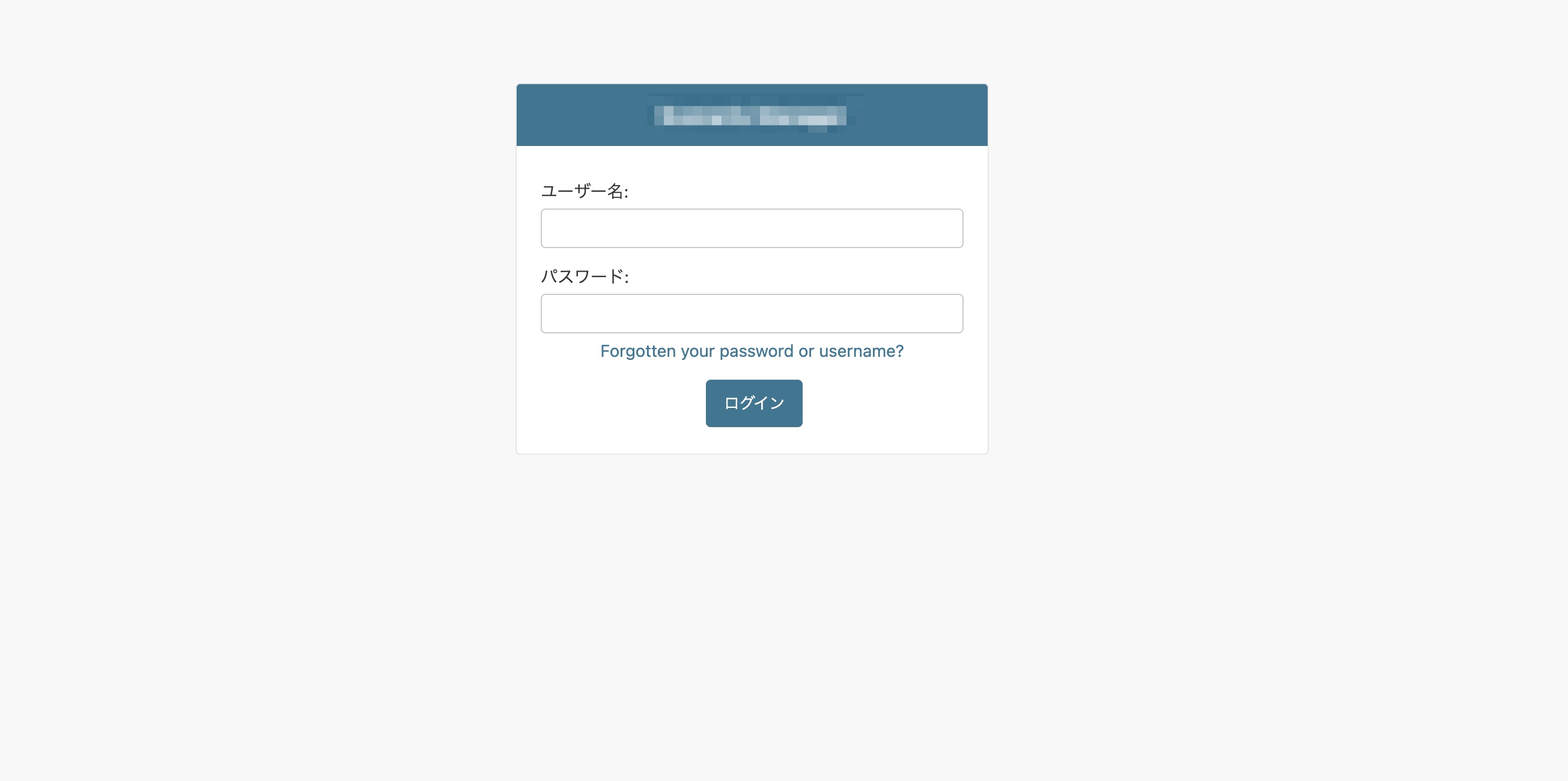
Django admin login page: "Forgotten your password or username?" is not translated in Japanese locale
| Reported by: | Ryu | Owned by: | |
|---|---|---|---|
| Component: | contrib.admin | Version: | 5.2 |
| Severity: | Normal | Keywords: | |
| Cc: | Triage Stage: | Unreviewed | |
| Has patch: | no | Needs documentation: | no |
| Needs tests: | no | Patch needs improvement: | no |
| Easy pickings: | no | UI/UX: | yes |
Description (last modified by )
Description:

On the Django admin login page, the text:
"Forgotten your password or username?"
is not translated when the active language is set to Japanese (ja).
Even though the locale is properly configured and other texts on the admin login page are translated into Japanese, this specific string remains in English.
However, according to the source, the Japanese translation for this string exists in
It is possible that the key (msgid) used in the template does not exactly match the one defined in the translation file (for example, due to whitespace or context differences), which may be why the translation is not being applied at runtime.
Environment:
Django version: 5.2.10
Python version: 3.12
Attachments (1)
Change History (6)
by , 8 months ago
| Attachment: | login-page.jpg added |
|---|
comment:1 by , 8 months ago
| Description: | modified (diff) |
|---|
comment:2 by , 8 months ago
| Description: | modified (diff) |
|---|
comment:3 by , 8 months ago
| Description: | modified (diff) |
|---|
comment:4 by , 8 months ago
| Description: | modified (diff) |
|---|
comment:5 by , 8 months ago
| Resolution: | → invalid |
|---|---|
| Status: | new → closed |